
Most people spend more time browsing than watching. Learning how to navigate streaming platforms efficiently helps you save time and find content faster.
This article compares Netflix, Prime Video, and Disney+ across all major navigation features. You’ll see which one suits your viewing habits best.
Home Screens Shape Your First Steps
Each streaming platform gives you a unique browsing experience. Let’s break down how the home screen layout affects your content discovery.
Netflix Prioritizes Visual Discovery
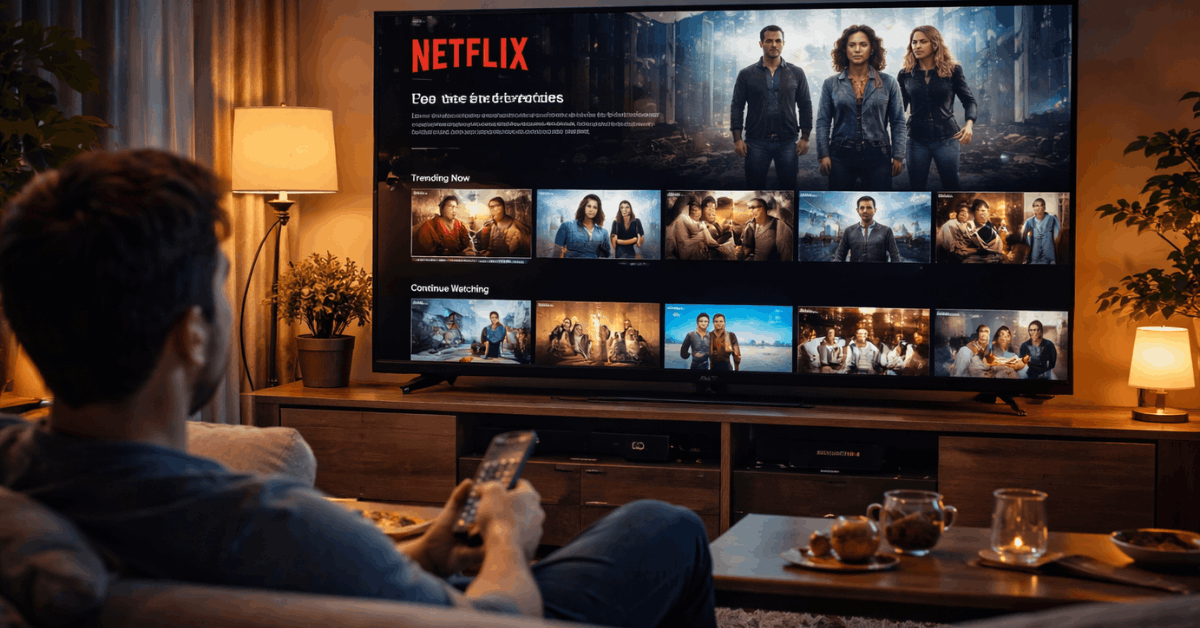
Netflix uses a horizontal layout filled with category rows. Trailers autoplay as you hover, giving you a quick preview. The “Continue Watching” row is always prominent for fast resumption.
You’ll also see trending titles and Netflix Originals featured at the top. Profiles personalize your layout and improve suggestions. The platform is fast and responsive across all devices.
Prime Video Mixes Rentals With Free Titles
Prime Video shows a mix of included and paid content on the home screen. Recommendations often include Amazon Channels, rentals, and purchases.
The platform lacks consistency in row types and layout across devices. Ads for Amazon services can interrupt the flow.
Its home screen is cluttered compared to the others. Discovery takes longer if you’re not familiar with its filters.
Disney+ Offers a Cleaner Look for Families
Disney+ keeps the layout simple with fewer distractions. Rows are grouped by major brands like Marvel, Pixar, and National Geographic.
You’ll find curated collections like “Spider-Man Universe” or “Chronological Star Wars.” There are no third-party ads or rental options.
It’s designed for easy use, especially by children or casual viewers. Navigation feels clean and focused.
Search Tools: Some Are Faster Than Others
Search is often your shortcut to content. How it performs can make or break your streaming experience.
Netflix Has Predictive Power
Netflix shows results as you type, often highlighting related titles. The algorithm fills gaps by offering similar shows when the exact one isn’t available.
You can search by actor, genre, or keyword. The search adapts based on viewing history. This helps narrow results faster. It’s reliable on mobile and TV apps.
Prime Video’s Search Can Be Overwhelming
Search results on Prime Video often show paid and free options side by side. While filters exist, they’re inconsistent across devices. The results sometimes lack relevance or visual consistency.
It’s unclear which results are part of your subscription. This adds friction, especially for quick searches. Search speed and clarity are weaker than those of Netflix.
Disney+ Focuses on Simplicity
Disney+ offers basic predictive search. It works best for known titles or brands. Results are clean and limited to Disney-owned content.
You won’t get external suggestions or unrelated titles. It’s not built for deep or broad discovery. The experience is smooth but limited in scope.
Platform Tools That Influence Navigation
Some features improve how you find and keep track of what you watch. Others slow you down.
Watchlists and Profiles: Who Does It Better?
Netflix supports multiple profiles with personalized watchlists. You can easily switch users and get unique recommendations.
Prime Video has watchlists, but they’re not as visible or personalized. Profiles exist but often feel shared.
Disney+ lets each profile create and manage separate lists. Kids’ accounts come with filtered browsing and age restrictions.
Smart Recommendations and Continue Watching
Netflix leads with fast recommendations and a responsive “Continue Watching” section. It even offers a “Play Something” option for random picks.
Prime Video has “Watch Next,” but the interface can bury it under ads or rentals. Disney+ keeps the resume section visible, with suggestions based on franchise history. It works best if you stick to Disney content.
How Genre Filters Help or Hurt You?
You don’t always know what to watch. That’s where genre browsing becomes important.
Netflix Gives You Dynamic Rows
Genres appear as horizontal rows that adjust to your history. “Top 10” charts and algorithm-based categories refresh often. There’s also a hidden category system used via external codes.
This gives experienced users more control. However, not all categories are easy to find in-app. It’s powerful, but not fully transparent.
Prime Video Adds Filters But Feels Crowded
Prime Video includes genres, IMDb ratings, and other tags. The extra info helps, but also slows the experience. You often scroll through unrelated content.
It mixes free and paid items inside genre sections. The layout can feel overwhelming and repetitive. It’s better suited for patient users.
Disney+ Builds Around Franchises
Genres are tightly tied to content universes. You’ll find curated collections like “Pixar Shorts” or “Marvel Cinematic Universe.”
The lack of external or indie content makes genre sections feel limited. But for fans, the grouping is helpful. It supports timeline-based watching more than free browsing.
Speed and Usability Across Devices
Efficiency isn’t just about the layout—it’s also about speed. Some platforms handle navigation better depending on the screen you use.
Netflix Is Consistent Everywhere
The layout and features work nearly identically on web, mobile, and smart TVs. Load times are fast.
Features like download, watch history, and recommendations remain visible. It’s easy to resume across platforms. Netflix keeps the experience smooth and predictable.
Prime Video Feels Inconsistent
On TVs, Prime Video’s layout can lag or behave differently from mobile. Features are scattered or hidden. Filter tools vary by device.
The mobile app performs better, but smart TVs may frustrate users. It’s usable, but not always seamless.
Disney+ Stays Uniform and Light
Disney+ is lightweight and behaves the same across all devices. Layout is preserved with no visible lag.
Profile switching and parental controls remain accessible. Previews load fast. It’s built for simplicity, even on low-spec devices.
Extra Tools That Speed Things Up
Streaming platforms offer tools that reduce decision time. Here’s how they compare.
Netflix
Netflix supports voice search through smart remotes. Its “Play Something” button is helpful if you don’t want to choose.
It keeps a visible download section. Watch history can be accessed and edited. Its mobile app also supports smart downloads.
Prime Video
Voice search accuracy depends on the device. Download options vary by region. Watching history is harder to find. There’s no “random pick” feature. Features exist but aren’t streamlined.
Disney+
Disney+ has limited advanced tools. Downloads are available and reliable. There’s no voice command or surprise-me feature. History and lists are simple to manage. It keeps things basic and functional.

Who Saves You More Time?
These platforms were not built equally. Some help you choose faster, while others make you dig.
Netflix delivers the fastest browsing due to predictive tools and a strong layout. Prime Video delays discovery by mixing rentals with included content.
Disney+ speeds up content access, but only if you’re looking for Disney franchises. Your experience will depend on how much you value simplicity, control, or variety.
Make Your Time Count: Choose the Right Platform for You
Knowing how to navigate streaming platforms efficiently helps you get to your content without wasting time. Netflix works best for fast recommendations and user control.
Prime Video offers more but demands more clicks. Disney+ keeps things clean and ideal for families or brand fans. Choose the platform that makes your time feel well spent.








