
You often share a single account on streaming services with others. Multiple profiles keep your watch history, recommendations, and episode progress separate.
You avoid mixed suggestions and spoilers when each person uses the right profile.
Why Streaming Platforms Use Multiple Profiles
Multiple profiles solve common problems in shared accounts.
Each reason supports cleaner recommendations and smoother tracking. Each point stays focused on one benefit.
- Personalization – Recommendations match a viewer’s habits rather than the whole household’s.
- Watch History Separation – Episode progress and “continue watching” stay accurate per profile.
- Household Sharing – One subscription works for several people without constant switching errors.
- Algorithm Accuracy – Maintaining clean signals, improving suggestion quality over time.
- Engagement Tracking – Platforms measure what different audiences actually complete or drop off.
- Feature Testing – Layouts and thumbnails can be tested on some profiles without affecting all users.

How Profiles Affect Recommendations
Profiles shape how recommendations are built and displayed. Each profile sends separate signals to the system.
This keeps suggestions relevant and reduces noise.
- Watch History Signals – Completed episodes, rewatches, and skips train recommendations.
- Viewing Time Patterns – Longer sessions increase confidence in similar content.
- Genre and Format Preference – Movies, series length, and genres influence ranking.
- Interaction Behavior – Pauses, drop-offs, and fast exits affect future suggestions.
- Feedback Actions – Likes, dislikes, and “not interested” refine results faster.
Profile-Based Controls and Settings
Profile-based controls let each viewer customize how content plays and appears. These settings adjust playback behavior and recommendation signals.
Each profile works independently.
- Language Preferences – Audio and subtitle choices stay consistent across devices.
- Playback Defaults – Video quality, captions, and autoplay follow the profile.
- Notification Controls – Alerts reflect what that profile watches and follows.
- Content Feedback Tools – Likes, dislikes, and dismissals affect future suggestions.
- Device Syncing – Settings apply whether viewing on TV, mobile, or web.
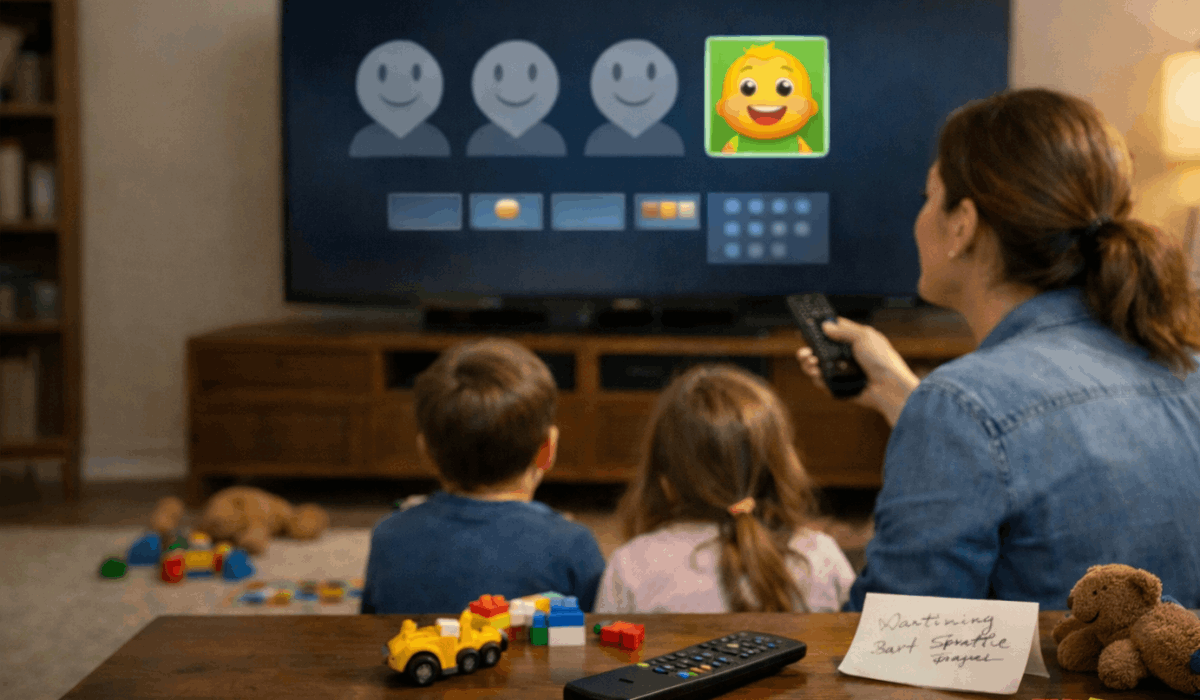
Kids Profiles and Content Restrictions
Kids’ profiles are designed to limit what younger viewers can access. These profiles apply stricter rules to content discovery and playback.
The goal is controlled viewing without constant supervision.
- Age-Based Filtering – Content is limited by the platform’s maturity ratings.
- Restricted Search Results – Only approved titles appear in browsing and search.
- Playback Limits – Some platforms block autoplay or long sessions by default.
- Profile Locks and PINs – Adult profiles stay protected from accidental access.
- Simplified Recommendations – Suggestions focus on safe and age-appropriate titles.
Profiles and Viewing Progress
Profiles keep viewing progress separate for each viewer. This prevents lost episodes and incorrect resume points.
Episode tracking stays consistent across devices.
- Continue Watching Accuracy – Each profile resumes from the correct timestamp.
- Episode Completion Tracking – Watched and unwatched episodes remain clearly marked.
- Season Progress Separation – Different viewers can be at different points in the same season of the same show.
- Cross-Device Syncing – Progress updates whether watching on TV, phone, or web.
- Spoiler Reduction – Correct progress prevents accidental jumps ahead.
Limitations of Multiple Profiles
Multiple profiles improve organization, but they do not remove plan limits. Some account areas stay shared across everyone. These limits affect daily use.
- Plan Stream Caps – Profile count does not increase with simultaneous streams.
- Device Limits – Profiles do not add extra registered devices.
- Shared Billing – Payment method and invoices remain account-wide.
- Account Ownership – Email, password, and security controls stay shared.
- Shared Global Settings – Some notifications, downloads, or device controls remain tied to the main account.
Profiles and Platform Testing
Platforms use profiles to test what keeps people watching. Results change what each profile sees. Differences can appear without warning.
- A/B Layout Tests – Rows, menu order, and tile sizes vary by profile.
- Promotion Placement Tests – Banners and “top picks” slots can differ.
- Thumbnail Testing – Artwork versions rotate to measure clicks.
- Recommendation Mixing Tests – Some profiles may see heavier “trending” vs “personal” rows.
- Different Home Screens – Two profiles on one account can look noticeably different.
Best Practices for Using Multiple Profiles
Good profile habits protect recommendations and progress tracking. Small mistakes can ruin suggestions quickly. Simple routines prevent issues.
- Create a New Profile – Use one for a new viewer or a new viewing style.
- Keep One Viewer Per Profile – Avoid sharing one profile between people.
- Reset When Needed – Clear history if recommendations become unusable.
- Use Feedback Tools – Like, dislike, and “not interested”- to improve accuracy faster.
- Limit Random Browsing – Avoid starting many titles and abandoning them midway.
Why Multiple Profiles Matter for Viewers
Profiles change what appears on the home screen and how progress is stored. Cleaner data improves the experience. Tracking becomes more reliable.
- Better Discovery – Suggestions match one taste instead of a household mix.
- Fewer Wrong Picks – Less clutter from genres you do not watch.
- Cleaner Viewing Control – Settings and habits remain consistent for each person.
- Accurate Episode Tracking – Continue-watching stays correct for each viewer.
- Better Drop Timing Clarity – Release reminders and progress stay aligned to one profile.
Profile Switching and Household Friction
Shared homes create profile mistakes. One wrong session can shift recommendations. Prevention is easier than fixing the damage.
- Fast Switching Errors – People hit play before checking the profile.
- Recommendation Corruption – A few wrong shows retrain the system quickly.
- Progress Conflicts – Continue-watching gets messy across shared titles.
- Kid/Adult Mix-Ups – Wrong profiles bypass content filters or skew suggestions.
- Simple Habits – Set avatars, rename profiles, and confirm the profile before watching.
Profiles, Privacy, and Data Visibility
Profiles separate viewing behavior, but privacy is not absolute. Some info remains easy to notice. Basic settings reduce exposure.
- Visible Rows – Continue-watching and recently watched can reveal habits.
- Profile Names and Avatars – Other users can quickly identify profiles.
History Exposure – Watch history can be seen if someone opens the profile.
- Profile Locks – PINs reduce casual switching into another profile.
- Sign-Out Discipline – Logging out on shared devices prevents unwanted access.
Travel and Shared Devices
Travel adds risk because shared screens may retain access. Profiles help separate data, but they do not guarantee logout. Extra steps protect the account.
- Hotel TV Memory – Some TVs keep accounts signed in after checkout.
- Casting Risks – Casting can expose titles and profile activity on shared networks.
- Profile Selection Mistakes – Quick logins can start playback on the wrong profile.
- Manual Sign-Out – Always sign out and remove the device from the account list.
- Safer Alternatives – Use mobile streaming or a guest mode when available.
Final Takeaway: Using Profiles the Right Way
Multiple profiles help streaming services keep recommendations, progress, and settings clean across shared accounts.
Using them correctly improves discovery, reduces errors, and keeps episode tracking accurate.
Review your profiles now and adjust them so each viewer gets the experience the platform is designed to deliver.








