
Sharing a streaming account gets confusing when cartoons, thrillers, sports documentaries, and unfinished dramas land on one crowded home screen.
Separate profiles give each viewer a cleaner place for recommendations, progress, language choices, and safety settings.
They help families, roommates, and people sharing one television. This guide explains how clean viewing histories, profile controls, and simple habits make shared streaming less cluttered.

Profiles Do More Than Change an Avatar
A profile tells the service who watched, stopped midway, or saved a title. Viewing history and personal settings then shape what that viewer sees when returning.
Separate Profiles Keep Episode Progress Accurate
Separate profiles let two people watch the same series at different speeds without opening the wrong episode. Continue Watching stays tied to one viewer, so a parent does not resume a child’s cartoon or roommate’s drama.
That protects episode progress and personal watchlists on shared televisions. It removes awkward guesswork when one account tries to behave like one person with several competing routines.
Watch History Shapes the Home Screen
A home screen reacts to watched titles, searches, ratings, replays, and abandoned episodes. Netflix says each profile’s recommendations are based on that profile’s tastes and ratings.
Separate histories create more relevant rows instead of combining every household choice into one feed. A profile is not perfect, but it gives the app a clearer starting point for deciding what belongs there.
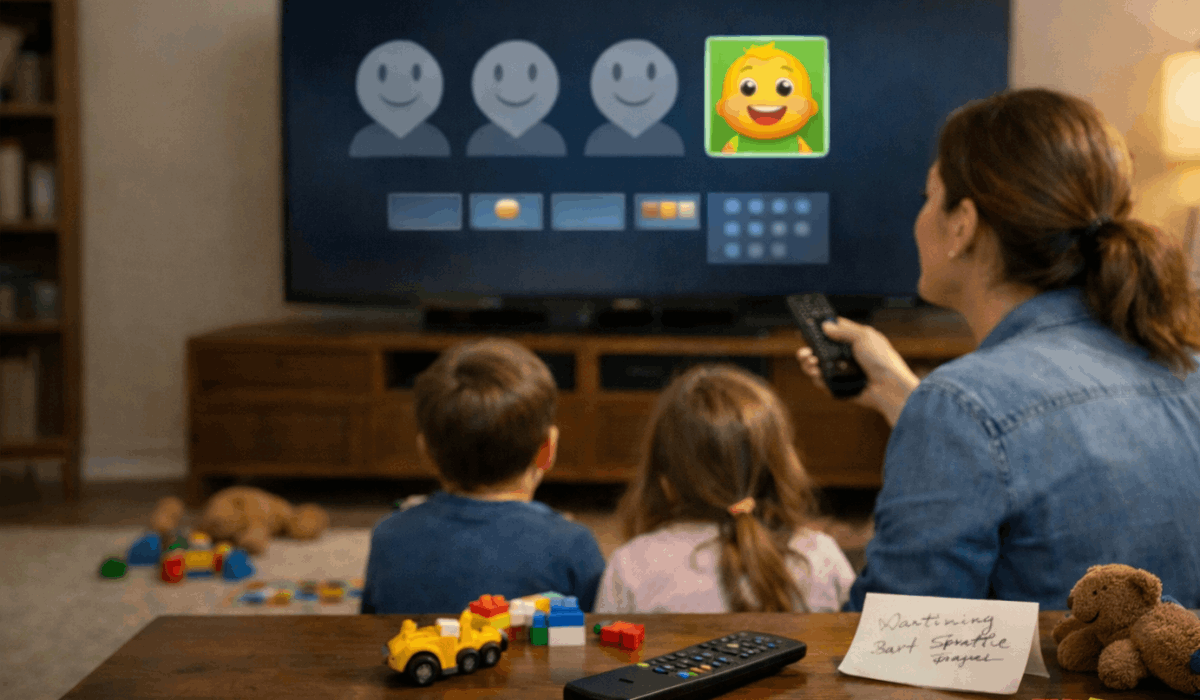
Recommendations Need Clean Signals
Recommendation systems predict what a viewer may enjoy next, but they only see activity tied to the active profile, not the reason someone sampled a show. Mixed signals and random sampling can make rows less useful.
Feedback Works Only on a Personal Profile
Likes, ratings, or a “not for me” choice mean less when several people share one profile during the same week. One viewer may reject horror while another watches it every weekend, leaving conflicting information.
Use feedback tools and title ratings only in your own space when a service provides them. That keeps personal choices from changing someone else’s recommendations.
Fix a Repetitive Feed Before It Becomes Annoying
Remove unfinished shows you know you will not continue, especially when they keep appearing at the top of Continue Watching.
Search by actor, mood, language, or decade instead of starting random titles just to sample them. These actions create clearer preference signals and less homepage clutter without a major account reset.
They make it easier to choose a film on a busy evening rather than scrolling through old mistakes.
Kids’ Profiles Need Ratings and Locks
A children’s profile should do more than show colorful artwork or a familiar character icon. Age-appropriate browsing and account boundaries help younger viewers stay in a suitable space when adults are not beside them.
Content Ratings Shape What Children Can Browse
Kids’ settings can limit visible titles and search results based on the maturity level selected for that person. Disney+ says its parental controls include content ratings, Junior Mode, and profile PIN protection.
Review maturity ratings and profile settings instead of assuming a default fits every child. A matched profile creates fewer awkward discoveries during independent viewing.
Locks Protect Privacy as Well as Access
A profile PIN can stop younger users from entering a broader adult profile on a commonly shared device. It also prevents casual switching that adds cartoons to another person’s history or reveals private viewing.
That supports private viewing habits and safer account use without complicating access. Use a PIN where privacy, parental limits, or visitors make switching more likely.
Profiles Organize an Account, But Do Not Expand It
Profiles improve order inside a busy account, yet they do not change subscription terms. Plan limits and account security still apply to everyone.
More Profiles Do Not Mean More Simultaneous Streams
Creating five profiles does not allow five people to watch at the same time when the plan supports two screens. Download limits, video quality, billing, and device rules belong to the subscription, not individual names.
Check simultaneous-stream limits and download rules before blaming a profile for playback trouble on a busy night. This matters when several people stream or travel together.
Travel Devices Need Their Own Check
Profiles separate history, but they cannot protect an account left signed in on a hotel television, borrowed tablet, or guest device after a brief visit. Sign out before leaving, then review connected devices after returning home and changing locations.
That protects account access and personal viewing history beyond the usual household screen. Casting to a public display also needs care because others can see what plays.
A Small Account Checkup Prevents Repeat Mix-Ups
Shared accounts work best when the setup reflects their regular viewers and current routines. Regular review and small corrections beat fixing months of mixed recommendations.
Review the Household Setup Every Few Weeks
Check whether regular viewers have separate profiles, whether children still have the right limits, and whether unused profiles should go or be renamed.
Update language preferences and remove abandoned titles where possible. These small account checks and clear profile names keep the setup understandable. They also reduce arguments over missing progress or odd suggestions.
Use a Three-Part Reset When the Screen Feels Messy
Switch to the correct profile, then clean titles that do not belong there. Check the plan before blaming profiles for blocked playback or missing downloads.
Use this quick household reset and simple routine when recommendations feel random or the home screen seems unfamiliar:
- Profiles: Give each viewer a separate space.
- Safety: Set ratings and PIN locks where needed.
- Access: Remove unfamiliar devices and review plan limits.
Conclusion: Let Each Profile Represent One Viewer
Profiles make shared streaming useful when one history reflects one real viewer. They keep progress, recommendations, safety settings, and language choices from becoming a household mixture.
They cannot raise plan limits or replace secure sign-outs, but they reduce daily friction for busy households. Set them up once, review them occasionally, and help everyone find a show with less effort on shared screens.








