
Streaming platforms use built-in features to control how you find, watch, and continue movies and TV series.
These tools shape everything from episode order and recommendations to playback, quality, and progress tracking.
Understanding how these features work helps you avoid confusion and watch stories the way they are intended.
Core Navigation Features
These tools help you find titles fast and understand what the platform is pushing to you.
- Home screen — Rows and shelves that highlight what the platform thinks you will watch.
- Search — Keyword tool to locate specific titles, people, or genres.
- Filters — Options to narrow results by genre, year, language, or format.
- Categories — Browsing sections that group titles into clear content types.
- Sorting — Controls that change the order of results, like newest or most popular.
- Continue Watching — Shortcut that resumes titles from your last saved position.
- Watchlist — Save area for titles you want to watch later.
Episode Order and Viewing Flow
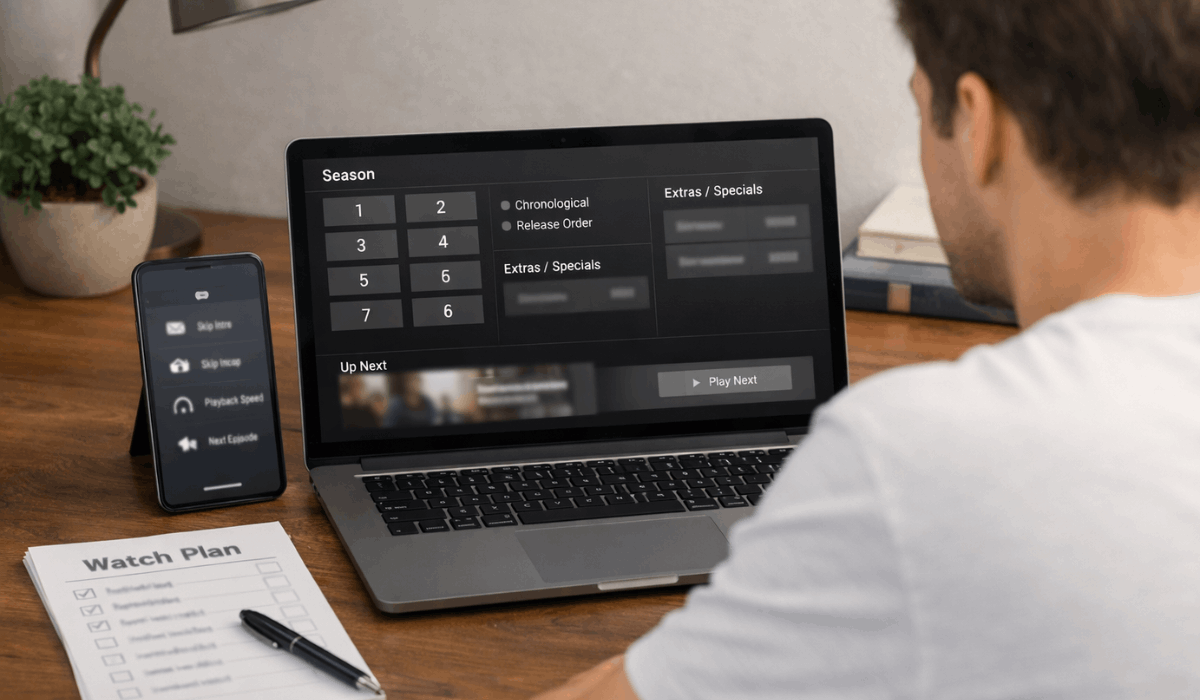
Episode order and viewing flow determine how a story unfolds on a streaming platform.
These features guide you from one episode to the next and affect how clearly a series is understood.
- Episode lists — Display seasons and episodes in numbered order to define the intended sequence.
- Season structure — Groups episodes by season and separates regular episodes from extras.
- Special episodes — Includes bonus content, holiday specials, or extended cuts placed outside the main order.
- Chronological order labels — Shows timelines based on story events rather than release dates.
- Release order — Follows the original broadcast or platform release sequence.
- Autoplay — Automatically starts the next episode after one ends.
- Next episode prompts — On-screen cues that move you forward without manual selection.
Streaming Quality, Downloads, and Data Controls
These features control how content is delivered to your device and how much data is used. They help balance video quality, storage, and connection limits.
- Streaming quality — Adjusts resolution based on connection strength or manual selection.
- Auto quality — Changes video quality in real time to prevent buffering.
- Data saver modes — Limits data usage during streaming, especially on mobile networks.
- Offline downloads — Saves episodes or movies to your device for later viewing.
- Download quality — Sets file size and resolution for saved content.
- Storage limits — Restricts how much content can be stored on a device.
- Download expiration — Removes offline titles after a set time or license change.
Recommendation Systems and Algorithms
These systems decide what titles appear on your home screen. They react to how you watch and adjust suggestions over time.
- Viewer behavior signals — Data points like watch time, pauses, skips, and rewatches.
- Watch duration — Measures how long you stay with an episode or movie.
- Skips and rewatches — Indicates interest or disengagement with specific content.
- Recent activity — Gives more weight to what you watched lately.
- Shared account effects — Mixes signals from multiple viewers on one account.
Profiles, Progress, and History
These features track who is watching and where you stopped. They help keep viewing organized when one account is shared.
- User profiles — Separate spaces for each viewer with individual settings and preferences.
- Watch history — Record of episodes and movies you have played.
- Progress tracking — Saves your exact stopping point within an episode or film.
- Continue Watching — Automatically surfaces unfinished content on the home screen.
- Profile switching — Allows quick movement between viewers without mixing data.
- Reset progress — Option to restart episodes or remove viewing records.
Parental Controls and Content Restrictions
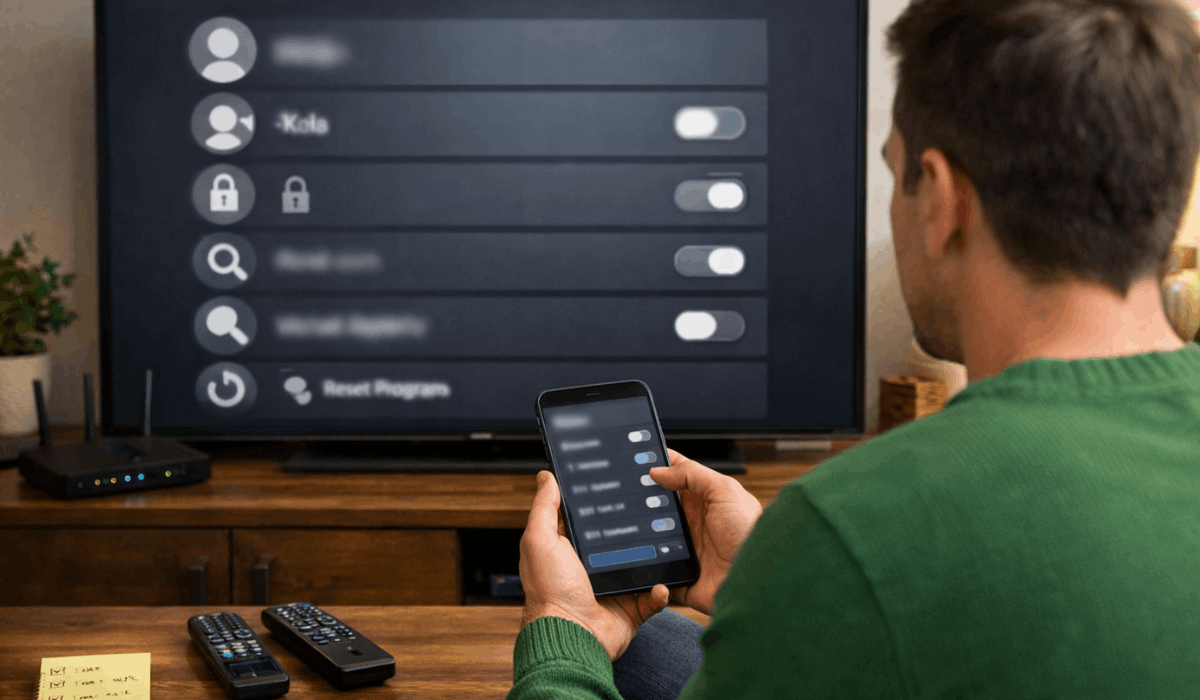
These features manage access and protect younger viewers in shared households.
They control what can be played, what appears on the home screen, and what can be searched for.
- Age ratings — Filters titles based on maturity levels, so certain content does not appear on restricted profiles.
- PIN locks — Require a code before opening restricted profiles, settings, or specific titles.
- Profile limits — Apply rules per profile, including rating caps and blocked categories.
- Kids profiles — Create a separate space with child-focused titles and simpler navigation.
- Restricted discovery — Limits search and browsing so adult titles are harder to find accidentally.
Playback Controls and Viewing Tools
These tools let you control how content plays moment to moment. They help you adjust pacing, language, and what gets skipped during playback.
- Playback speed — Lets you watch faster or slower, depending on your preference or time.
- Subtitles and captions — Adjusts text language, size, and accessibility options when supported.
- Audio language options — Switches spoken language tracks, which can vary by title and region.
- Skip intro — Jumps past opening sequences with a button or automatic timing.
- Skip recap — Skips “previously on” sections so you start the episode faster.
Content Availability and Licensing
These rules explain why catalogs change and why friends in other countries may see different titles.
Access depends on regional rights and contracts that expire or get renewed.
- Regional availability — Catalogs differ by country due to licensing agreements and distribution rights.
- Location detection — Uses your region settings or network location to determine what you can access.
- Licensing timeframes — Defines how long a title stays available before renewal or removal decisions.
- Expiring titles — Shows scheduled removals when rights are ending, or content is rotating out.
- Removal notices — Warnings placed on title pages or carousels before a title disappears.
Updates, Interface Changes, and Testing
Platforms regularly adjust features to improve engagement and reduce friction. Many changes are tested first, which is why two users can see different layouts.
- Feature rollouts — New tools appear gradually, sometimes over weeks, to reduce bugs and risk.
- User testing — Small groups receive changes first so platforms can measure performance and feedback.
- A/B experiments — Two versions of a layout run at the same time to compare results.
- Layout variations — Changes may affect menus, category rows, buttons, or episode screens.
- Behavior tracking — Measures clicks, watch time, and completion to judge whether changes work.
Multi-Device Sync and Cross-Platform Use
These features keep your viewing experience consistent across devices. They help you start on one screen and continue on another without losing progress.
- Device sync — Shares watch position so you can resume on TV, phone, or laptop.
- Profile consistency — Keeps preferences like subtitles, language, and watch history tied to the same profile.
- Supported devices — Works across TVs, phones, tablets, browsers, and streaming sticks, with some differences.
- Feature limitations — Certain tools, like downloads or advanced settings, may be missing on some devices.
- App vs browser differences — Controls and playback options can vary between the mobile app and web player.
Notifications and Release Alerts
These alerts keep you informed about new episodes, new seasons, and saved titles.
They are usually tied to your watch history, watchlist, and engagement patterns.
- New episode alerts — Notifications when a tracked series releases a new episode.
- Season release notices — Prompts when a full season drops or becomes available in your region.
- Watchlist alerts — Updates when saved titles become available, return, or are leaving soon.
- Return prompts — Reminders to continue unfinished episodes or resume a series you paused.
- Notification controls — Settings that let you turn alerts on or off and choose where they appear.
Final Section — Why Understanding These Features Improves Viewing
Streaming platform features shape how you discover, follow, and finish movies and series across devices.
Understanding how these tools work helps you avoid confusion, control playback, and watch stories in the right order.
Use this knowledge to adjust your settings, explore features more confidently, and get a smoother viewing experience every time you press play.








