
You use streaming platforms daily, but streaming platform settings often stay untouched.
These options control video quality, data usage, privacy, and recommendations, and they affect how smooth and relevant your experience feels.
When you adjust Streaming Platform Settings, you gain better control over what you watch, how it plays, and who can access your account.
Video and Audio Quality Settings
These settings control the clarity of your picture and the sound output. You should adjust them based on your device and connection.
- Video Resolution Options: Pick SD, HD, or 4K based on your screen and speed. Higher quality uses more data and can buffer more.
- Automatic Quality Adjustment: The platform may lower the quality when your connection drops. This reduces pauses but can blur the image.
- Audio Output Settings: Choose stereo or surround based on your setup. Better formats only help if your device supports them.
- Volume and Dialogue Enhancements: Use volume leveling or dialogue boost if available. This makes voices clearer and reduces loud jumps.

Data Usage and Download Controls
These settings help you manage data consumption and storage space. They are important if you stream on mobile networks or frequently download content.
- Data Saver Mode: You can reduce data use by lowering streaming quality. This helps avoid overages but affects image sharpness.
- Wi-Fi vs. Mobile Data Rules: You can limit high-quality streaming to Wi-Fi only. This protects your mobile data plan.
- Download Quality Options: You can choose standard or high download quality. Higher-quality files take up more storage space.
- Automatic Download Management: Some platforms automatically delete watched downloads. This keeps your device storage under control.
Subtitles, Language, and Accessibility
These settings help you understand dialogue and navigate the app more easily. They also improve comfort for different viewing needs.
- Subtitle Language Selection: You can choose your preferred subtitle language. This helps when audio accents are hard to follow.
- Subtitle Size and Style: You can adjust font size, color, and background. This improves readability on different screens.
- Audio Language Options: You can switch between available audio tracks. This lets you watch in your preferred language.
- Accessibility Features: Platforms may offer closed captions and audio descriptions. These support viewers with hearing or vision needs.
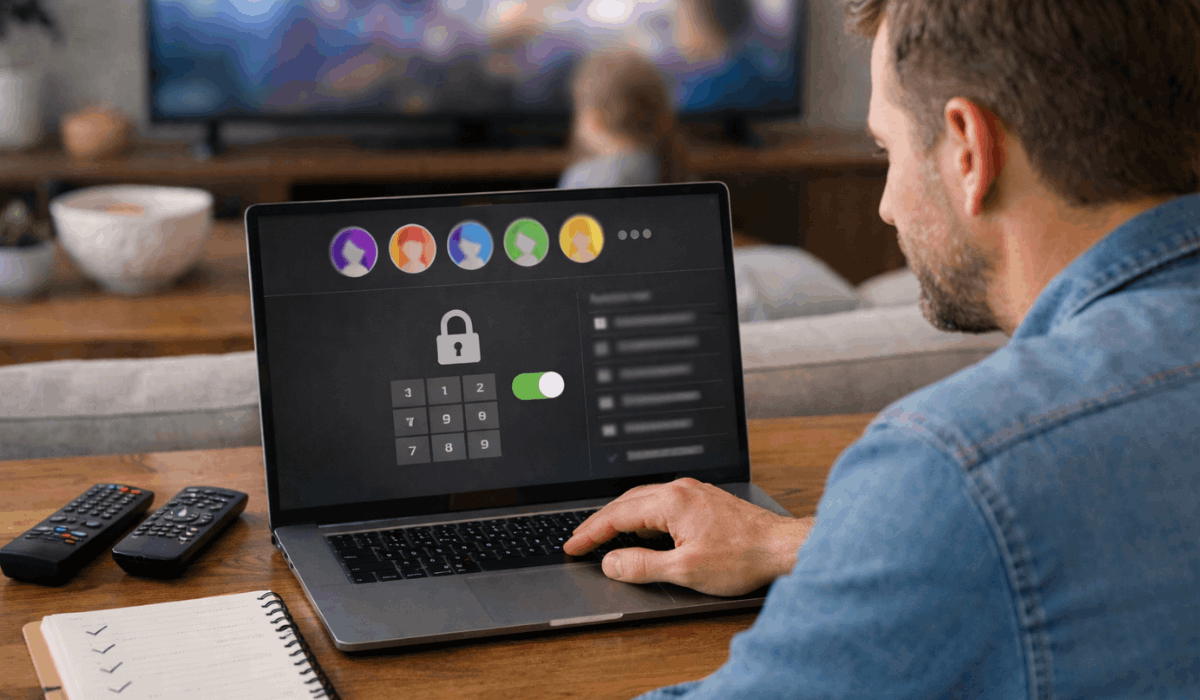
Profiles, Parental Controls, and Restrictions
These settings help you separate viewing habits and protect younger viewers. They are useful when multiple people share one account.
- User Profiles: You can create separate profiles for each viewer. This keeps watch history and recommendations personal.
- Content Rating Limits: You can restrict shows and movies by age rating. This prevents access to unsuitable content.
- Profile PIN Protection: You can lock profiles with a PIN. This stops children from switching profiles without permission.
- Kids-Only Modes: Some platforms offer dedicated kids profiles. These limit content and simplify the interface.
Privacy, History, and Recommendation Settings
These settings control what the platform tracks and how it suggests content.
Adjusting them helps you keep recommendations relevant and protect your viewing data.
- Watch History Management: View and remove titles from your history. This changes future recommendations quickly.
- Activity Tracking Controls: Some platforms let you limit how viewing activity is used. This reduces data collection for personalization.
- Recommendation Preferences: You can influence what appears on your home screen. This helps avoid unwanted genres or repeats.
- Autoplay and Preview Settings: You can disable autoplay and silent previews. This gives you more control while browsing.
Notifications and Account Preferences
These settings control how often the platform contacts you and who can access your account. Adjusting them helps reduce distractions and improve security.
- Email and Push Notifications: You can turn off alerts for promotions or reminders. This keeps messages relevant and limited.
- New Release Alerts: You can choose which genres trigger notifications. This helps you avoid unwanted updates.
- Device and Session Management: You can see which devices are signed in. This helps you spot unusual activity.
- Account Security Options: You can change passwords and enable extra verification. This protects your account from misuse.
Playback and Navigation Controls
These settings affect how you move through content while watching. They help you save time and avoid interruptions.
- Skip Intro Options: You can enable or disable intro skipping. This changes how quickly episodes start.
- Playback Speed Control: You can adjust speed on supported platforms. This helps for rewatching or dialogue-heavy scenes.
- Resume Playback Behavior: You can control where shows resume. This avoids restarting or missing scenes.
- Episode Countdown Timers: You can change how fast the next episode starts. This reduces unwanted autoplay.
- Seek and Scrub Previews: You can preview scenes while scrubbing. This helps you find specific moments faster.
Search, Discovery, and Browsing Settings
These settings shape how you find new content. They influence visibility and search results.
- Search History Storage: You can keep or clear past searches. This affects suggested results.
- Genre Visibility Controls: You can influence which genres appear first. This improves discovery relevance.
- Trending and Popular Rows: You can limit or customize these sections. This reduces clutter.
- Language-Based Discovery: You can prioritize titles in specific languages. This improves browsing accuracy.
- Manual Sorting Options: Some platforms let you sort by date or popularity. This helps structured browsing.
Offline Viewing and Travel Settings
These settings matter when you watch away from home. They help avoid playback issues on the move.
- Offline Playback Rules: You can limit offline viewing time. This avoids expired downloads.
- Region-Based Download Access: Downloads may change by country. This affects travel viewing.
- Auto-Renew Downloads: Some apps automatically refresh downloads. This keeps content available.
- Storage Location Selection: You can choose internal or external storage. This helps manage space.
- Offline Subtitle Availability: You can include subtitles with downloads. This avoids missing text offline.
App Performance and Device Optimization
These settings improve stability and responsiveness. They help older devices run more smoothly.
- Background App Activity: You can limit background usage. This saves battery and memory.
- Cache and Data Clearing: You can clear cached files. This fixes glitches and slowdowns.
- Device Compatibility Settings: You can adjust features per device. This avoids crashes.
- Auto-Update Preferences: You can control when apps update. This prevents unexpected changes.
- Battery Optimization Modes: Some apps reduce performance to save power. This extends viewing time.
Account Billing and Subscription Controls
These settings help you manage costs and access. They prevent billing surprises.
- Plan and Tier Selection: You can switch plans at any time. This changes the quality and screen limits.
- Payment Method Management: You can add or remove cards. This keeps billing current.
- Billing Notifications: You can enable renewal alerts. This avoids missed charges.
- Shared Account Limits: You can control the number of simultaneous streams. This prevents lockouts.
- Cancellation and Pause Options: You can pause or cancel subscriptions. This gives flexibility.
Final Takeaway
You get more value from streaming by reviewing and adjusting your streaming platform settings.
These options improve quality, manage data, protect privacy, and keep your account secure.
Check your Streaming Platform Settings today so your viewing experience works the way you want.








